Image by Copilot, Nov 2026
Executive Summary: Visual data capture through appropriate application of LLMs in DLX Orchestrations leads to previously inaccessible lab data being extracted and schematized.
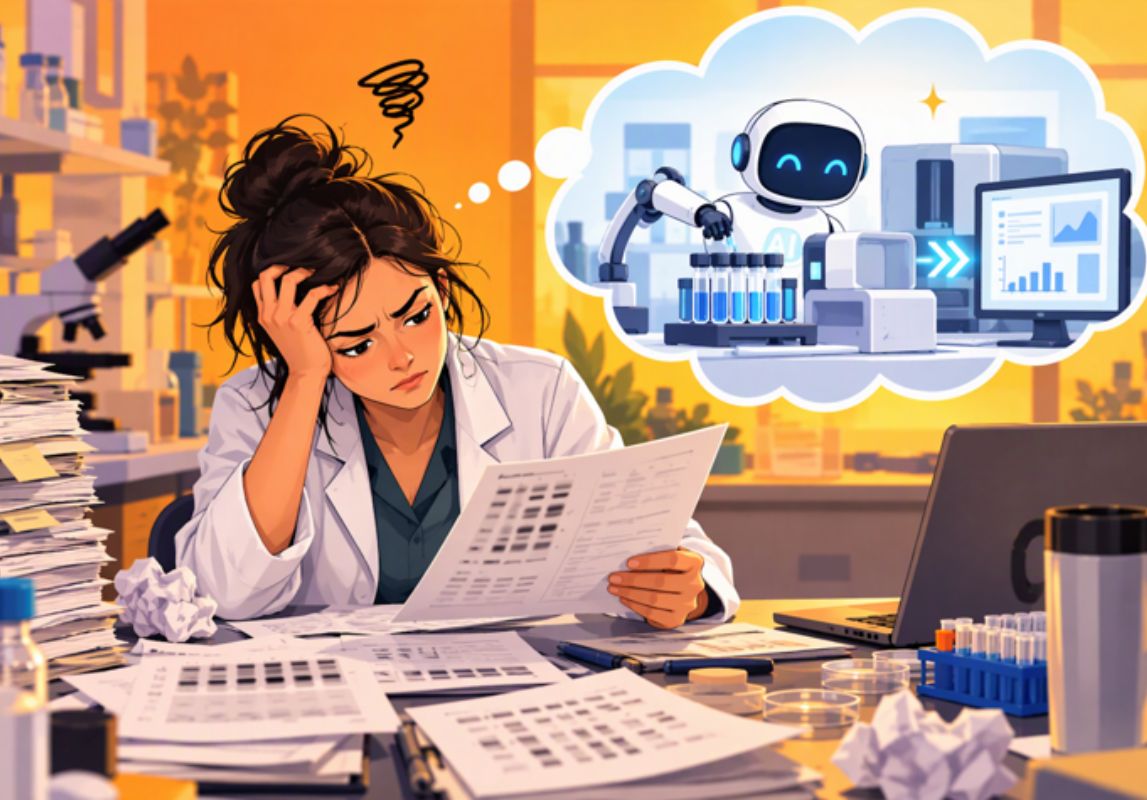
Every lab has a perfectly good instrument from the (1980s? 1990s?) that still prints results on a paper slip or a simple numeric output. It’s still serviceable, and maybe even part of a validated process. But this instrument data can’t touch your LIMS or ELN because it has no operating ports or network connectivity.
So, someone prints the slip, staples it to a form, and types the numbers in by hand. Or they write results onto a glove or scrap of cardboard and run it to their laptop. Eventually someone else reviews the result. It’s tedious, and a single transposed digit can result in a deviation and investigation.
With Scitara DLX 2026 R2 [Oct 2026], we decided the stapler had done enough.
AI steps into DLX orchestrations
Scitara wants “no device left behind” in its quest to capture legacy devices, and this must be done in a trustworthy, easy way. We didn’t build another chatbot; we created DLX AI to perform file ingestion, data extraction, and schema matching.Best part? It uses your own AI provider and credentials. Your account, your governance.
Supported provider: OpenAI. Others will be short-listed in further enhancements.
DLX AI steps into an orchestration to:
- Summarize results: From pdfs, images, and other static screens
- Extract data from documents and images: While keeping precision and context
- Publish data: Using downstream data connections through DLX [LIMS, ELN, MES]
This results in less duplicate work, fewer chances for human error, and time back for scientists.
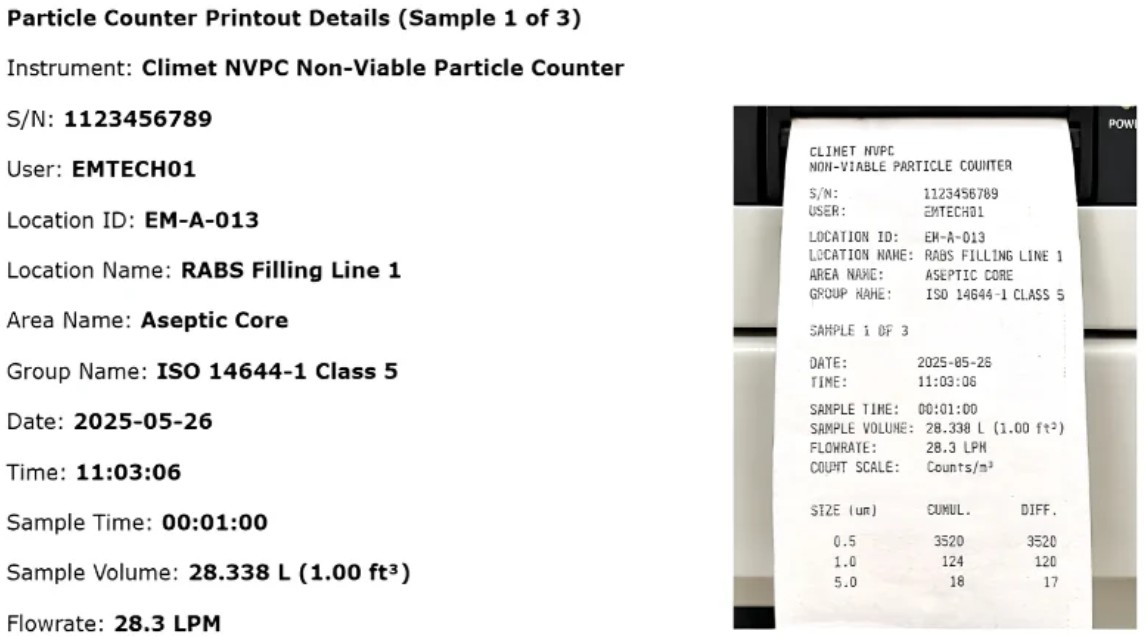
A particle counter captured by DLX AI and fed to Signals Notebook
How DLX AI Works “under the hood”
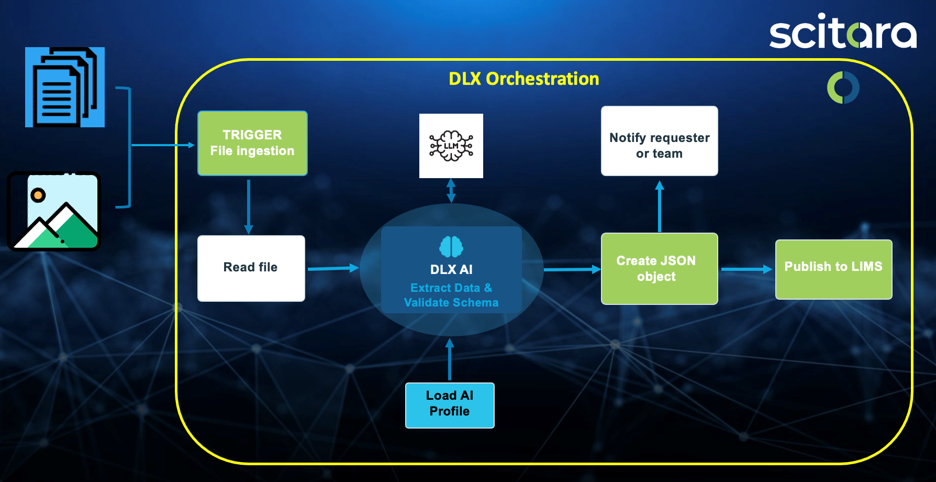
Flow diagram for the DLX AI service
DLX AI capitalizes on native Scitara DLX functionality called orchestrations. These tie together triggers and platform events to achieve repeatable, validated data workflows. In the above diagram, the service can be utilized as a tool to ingest files or images, send them to LLMs to extract and schematize data, and then store it into a customer’s DLX environment.
Get started
For more information about how to utilize Scitara DLX for your lab data, get in touch with our Sales and SA teams at info@scitara.com. To see AI steps working with your own instruments, Book a Demo with us, today.
We’re always interested in your feedback and value hearing about ways you’d use this capture feature: Labels, certificates, shipping documents, SOPs, assay reports. Probably dozens more. Reach out to us to submit ideas.
Retire the stapler and the paper scraps. Stop making scientists be USB cables. Your oldest instruments can finally talk to DLX, and the numbers you printed will be what shows up in your LIMS.
Want to see more? Scitara delivered a July 2026 webinar on this topic covering simple instrument (pH meter) screen capture.